
Getting Started with Salesforce Commerce Cloud (SFCC)
Introduction
If you ever did an online purchase, you probably know what an e-commerce site looks like. Behind the scenes, that is what SFCC does.
Let's check our first Trailhead modules that will teach you the basics about SFCC:
After finishing these modules, you should have a good idea of what Commerce Cloud offers.
SaaS
Now check the next Trailhead module below. They will give you a better explanation of what you can do with Commerce Cloud as a developer.
In the module Explore the B2C Commerce Development Environment, ignore the instructions in the Getting Started section. We will cover them in more detail in the next module: Salesforce B2C Commerce for Developers.
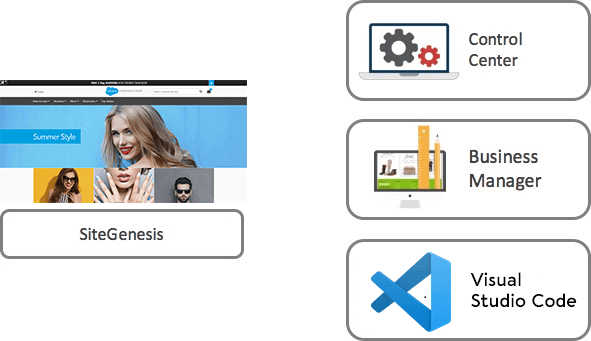
Business Manager Usage
Merchandisers use Business Manager to manage... | Developers use Business Manager to manage... |
|---|---|
Products & Catalogs | Code & Data Replication |
Content | Code Versioning |
Marketing Campaigns | Site Development |
Search Settings | Data Import/Export |
Customers | Global Preferences |
Site Analytics | |
Site URLs | |
Site Preferences |
Both merchants and developers use Business Manager to manage administrative tasks. Every Digital instance has a Business Manager portal.
For example, a merchandiser would log into Business Manager in the Staging instance.
Getting Started with Salesforce Commerce Cloud
PODs and Realms
One concept that usually causes confusion for beginners is the concept of Point Of Delivery (POD) and Realms.
A Point Of Delivery (POD) refers to a self-contained Salesforce Commerce Cloud hardware cluster that spawns a large number of virtual customer instances in a multi-tier service environment. It contains multiple application servers, database servers, and the clustering and backup infrastructure. Each POD is hosted in a third-party data center.
Finally, Salesforce Commerce Cloud partitions PODs into realms.
A realm contains segmentation for development, staging, and production for one or more storefronts.
Every Realm includes a Primary Instance Group (PIG) which includes three Commerce Cloud Digital instances:
Production: this is the live instance used as the actual eCommerce storefront.
Staging: use this instance for configuration, data enrichment, data import, and uploading of code to prepare it for testing in the Development instance. Through data replication, you can move data from the staging instance to either the development or the production instance.
Development: developers use this instance to test processes without impacting the production storefront (i.e. Product import feed)
Every Realm also includes a Secondary Instance Group (SIG) that has five sandboxes (but can accommodate more). Developers use sandboxes to develop and test code. They are not as powerful as PIG instances in terms of performance, memory, and storage. However, they have a smaller footprint.
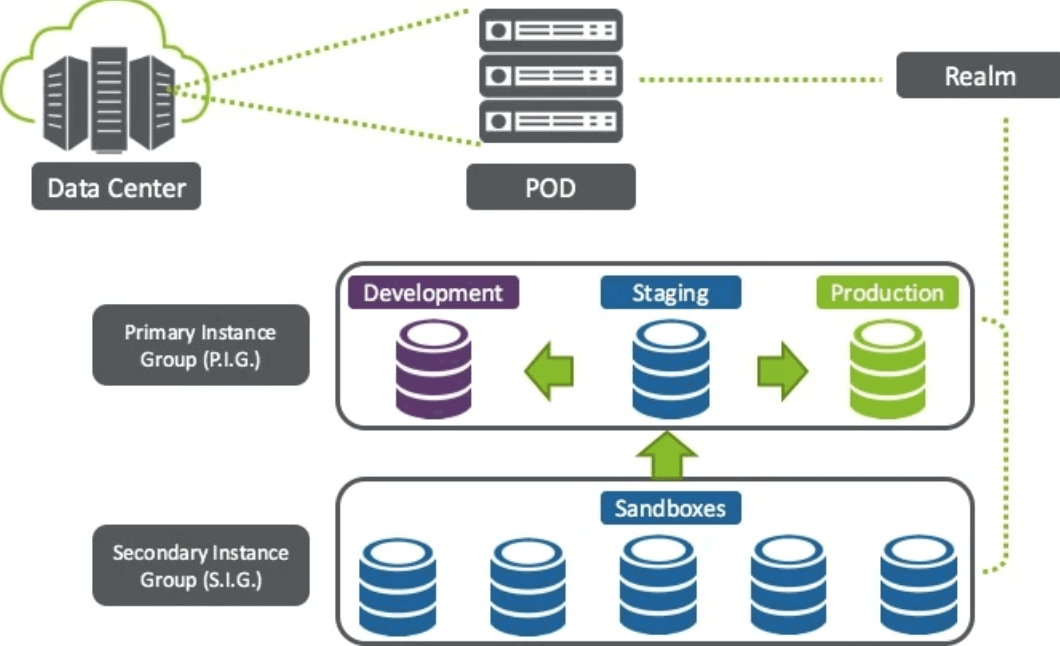
Realms and PODs and how different instances groups works in Commerce Cloud
SFRA Course
Getting Started SFCC

JONATAN JUMBERT
Find Me Everywhere
